Class AutogramRoot
Hierarchy-Diagram
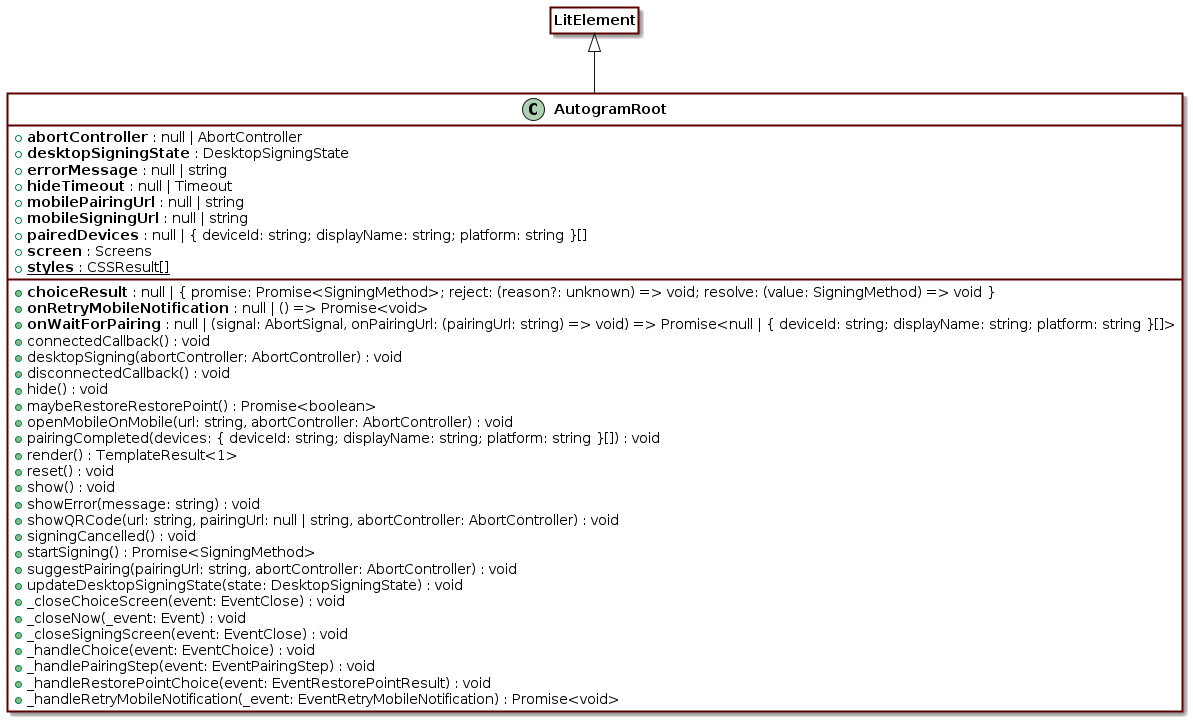
Legend
 class
class
 public method
Hierarchy
- LitElement
- AutogramRoot
Index
Other
lifecycle
rendering
Other
constructor
Returns AutogramRoot
abort
choice
| null
| {
promise: Promise<SigningMethod>;
reject: (reason?: unknown) => void;
resolve: (value: SigningMethod) => void;
} = null
desktop
error
hide
mobile
mobile
on
on
| null
| (
signal: AbortSignal,
onPairingUrl: (pairingUrl: string) => void,
) => Promise<
null
| { deviceId: string; displayName: string; platform: string }[],
> = null
paired
| null
| { deviceId: string; displayName: string; platform: string }[]
screen
Staticstyles
Styles for the component
_close
Parameters
- event: EventClose
Returns void
_close
Parameters
- _event: Event
Returns void
_close
Parameters
- event: EventClose
Returns void
_handle
Parameters
- event: EventChoice
Returns void
_handle
Parameters
- event: EventPairingStep
Returns void
_handle
Parameters
- event: EventRestorePointResult
Returns void
_handle
Parameters
- _event: EventRetryMobileNotification
Returns Promise<void>
desktop
Parameters
- abortController: AbortController
Returns void
hide
Returns void
maybe
Returns Promise<boolean>
open
Parameters
- url: string
- abortController: AbortController
Returns void
pairing
Parameters
- devices: { deviceId: string; displayName: string; platform: string }[]
Returns void
reset
Returns void
show
Returns void
show
Parameters
- message: string
Returns void
showQRCode
Parameters
- url: string
- pairingUrl: null | string
nullhides the pairing link - abortController: AbortController
Returns void
signing
Returns void
start
Returns Promise<SigningMethod>
suggest
Suggest pairing after a mobile signature. Called again with a fresh URL before the pairing JWT expires; closing aborts
abortController.Parameters
- pairingUrl: string
- abortController: AbortController
Returns void
update
Parameters
- state: DesktopSigningState
Returns void
lifecycle
connected
Invoked when the component is added to the document's DOM.
In
connectedCallback()you should setup tasks that should only occur when the element is connected to the document. The most common of these is adding event listeners to nodes external to the element, like a keydown event handler added to the window.connectedCallback() {
super.connectedCallback();
addEventListener('keydown', this._handleKeydown);
}Typically, anything done in
connectedCallback()should be undone when the element is disconnected, indisconnectedCallback().Returns void
disconnected
Invoked when the component is removed from the document's DOM.
This callback is the main signal to the element that it may no longer be used.
disconnectedCallback()should ensure that nothing is holding a reference to the element (such as event listeners added to nodes external to the element), so that it is free to be garbage collected.disconnectedCallback() {
super.disconnectedCallback();
window.removeEventListener('keydown', this._handleKeydown);
}An element may be re-connected after being disconnected.
Returns void
Polls for a new pairing; resolves the devices,
nullon abort/timeout.